


If you find it a hassle to buy a used car in Malaysia, you’re not alone. Shopping for a car or finding a buyer for your used car can take up a lot of time if you’re doing it on your own. Plus, it can be hard to get a good deal or find a car that fits your needs if you don’t know where to look.
That changes with the CARSOME app. This all-in-one car app has all the important features to help you save time and money whether you’re buying and selling a car, managing your car service, or renewing your road tax and insurance.
If you’re looking for ways to simplify all your car-related tasks and save money along the way, read on to find out how the CARSOME app can help you.
Quickly Find Your Ideal Car with Filters
Buying a car from CARSOME is straightforward, and even more so on our app. When browsing cars, you can apply various filters to find the car that fits your needs. This saves you a lot of time from scrolling the over 1,000 cars in our inventory. You can filter for any criteria including brand, model, body type, budget, mileage, color, transmission, year of the car, and store location.
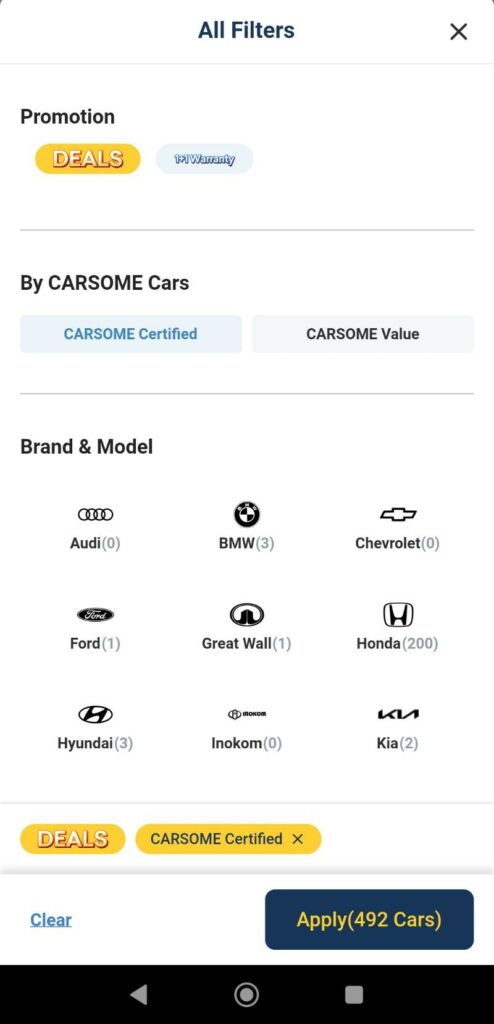
You can even filter for cars with the latest promotions to get the best bang for your buck. If you’re looking for a quality-assured car that’s fully refurbished, select the CARSOME Certified filter. With CARSOME Certified cars, you also get a five-day money-back guarantee and a one-year warranty for extra peace of mind.
If affordability is your priority, simply filter for CARSOME Value to get the best value with cars sold in as-is condition. Don’t worry though, as they’re still hand-selected with our 175-point selection.
Read More: How to Browse for a Used Car on CARSOME’s Website?
Get the Best Value with Detailed Information & Close-up Images of Every Car at Your Fingertips
Finding information when buying a used car no longer requires you to call up or visit the dealer. When shopping for a car on the CARSOME app, you can get all the information you need on the car listing page.
This allows you to weigh the pros and cons and find out the exact condition of the car. Besides the price, year, and mileage, here are all the details you can view on the car listing:
- Features and specs
- Complete details including color, number of seats, registration date, spare key, and principal warranty availability
- Full inspection report of the exterior, interior, undercarriage, and road test. It also includes any imperfections we found on the car with pictures.
- Close-up pictures of the exterior and interior, including a 360-degree view of the car.
- Tools like the car loan and insurance calculator
Book Appointments Quickly & Easily
Additionally, this all-in-one car app allows you to quickly and easily book all your appointments wherever you are. Once you’ve saved your contact and car details in the app, booking a service or inspection appointment is even more convenient. Here are the appointments you can make in the CARSOME app:
- Book a free test-drive appointment at our showroom or at your location.
- Book a car inspection appointment at an inspection center near you when you plan to sell your car.
- Book a service appointment for your car. Here, you can specify if your car has issues that need fixing or the type of service you require so we can know exactly what you need.
Read More: Do Not Test Drive a Car Without Reading This First!
Keep Track of Appointments & Get Instant Updates
When you have multiple appointments be it for a test-drive or service, it can be hard to keep track of them. With the CARSOME app, you can view all your upcoming and past appointments under ‘My Account’ so you don’t miss anything.
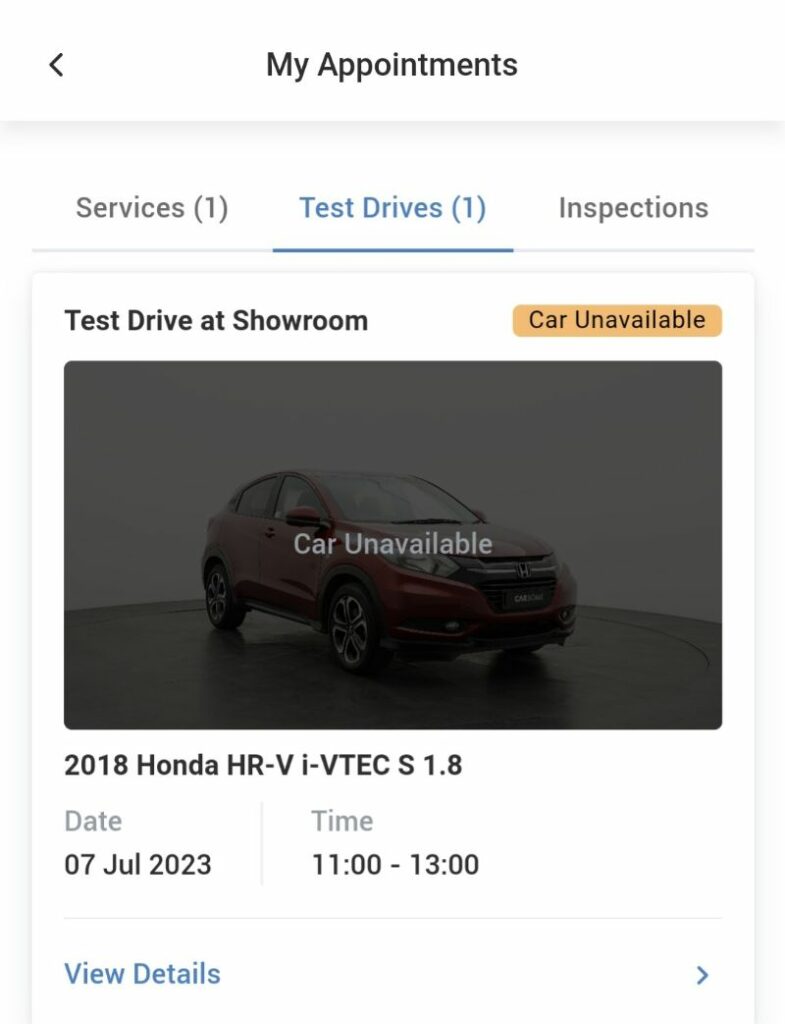
Besides getting reminders of your future appointments, you can view the details of your past appointments in case you need to recall any important information from them such as the type of service you requested, or details of the car you test drove.
With the app, you don’t need to worry about missing important appointments or orders as it’ll update you with the notifications you need.
Manage Your Car with My Garage
The CARSOME app doesn’t just help you sell and buy cars. You can add your car to the ‘My Garage’ feature to instantly check its estimated value at any time, quickly manage the appointments for your car, and get quick insurance quotations that you can compare before renewing your insurance.
My Garage also helps you stay on top of your road tax and insurance renewal by giving you reminders closer to their expiry date. That way, your car will always be protected and you won’t run into problems with the law.
Read More: A Guide to Car Loans & Interest Rates in Malaysia
Never Miss the Latest Promotions
Getting discounts when buying a car in Malaysia can help you save money, but they’re not always easy to find. CARSOME regularly offers promotions and discounts when you buy or sell a car, and you can find the latest promotions on offer right on the homepage of the app.
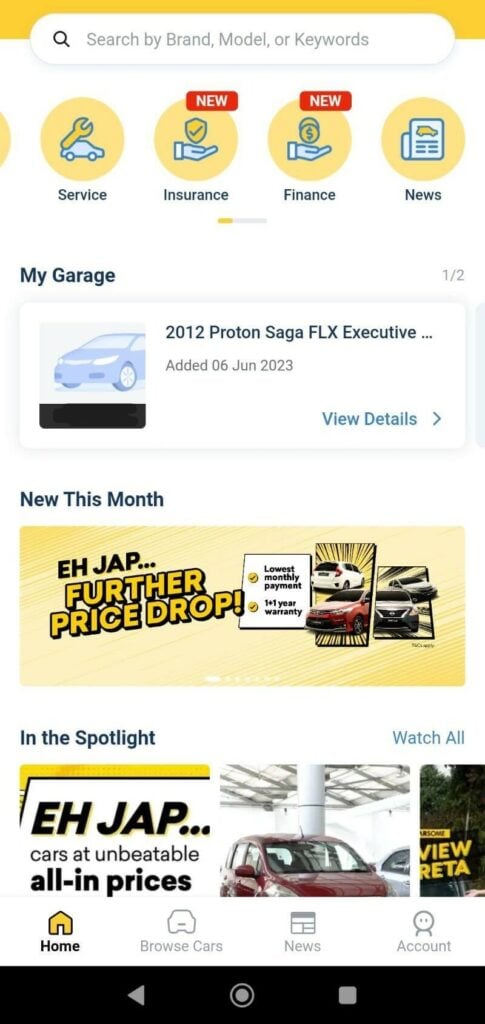
Eh Japp… Click the image above to view the cars with our latest promotion
From trade-in discounts to contest announcements and service deals, the CARSOME app displays them front and center so you don’t miss any chance to maximize your savings. Just be sure to check out the information displayed on the ‘New This Month’ tab the next time you open the app.
Looking for a quality, affordable used car? Visit CARSOME and browse our large selection of local and foreign branded cars. Or better yet, download the CARSOME app and check out its interesting features.
